Lumaref.
A desktop reference tool, reimagined. Browse, capture, and study — all in one offline app, one .lref file. 15-day free trial. License-based — buy it once, own it forever.

Thirty tabs. Four folders.
None of them open.
Every visual thinker knows this feeling: the perfect reference buried under twelve browser windows, the screenshot lost in a folder named /Pictures/refs/final_final, the creative flow broken by tab-hopping.
Lumaref was built to dissolve that friction. Not a clunky table. Not another browser. Not sketch switch. A new reference board — one app, one file, one beautiful workflow. For the visual mind.
A browser that lives in your board.
ArtStation, Pinterest, Google Images — open them inside Lumaref. Hover, click, it lands on the canvas. No alt-tab, no lost tabs.
A library that organizes itself.
Tags, search, and an auto-extracted color palette for every image. Drag in, import by URL, pull back to the board.
Built to get out of the way.
No telemetry. No cloud. No subscription. One .lref file contains your board, images, notes, and layout forever.
What's new in 0.0.5.
Five improvements that change how the board feels.

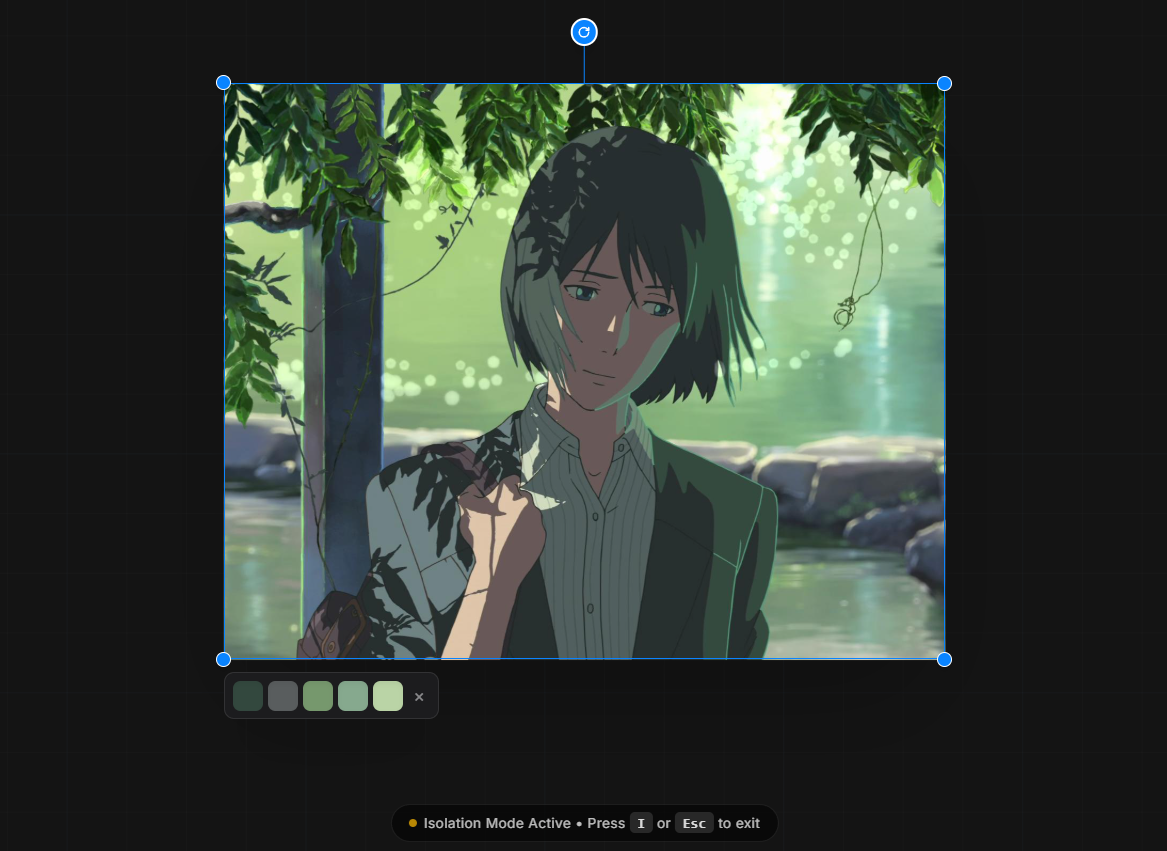
Isolate with I.
Click an image, press I — everything else fades. Focus mode for crowded boards.

GIFs, with controls.
Play, pause, step frame-by-frame. All image operations work on GIFs too.

Space + drag the canvas.
Hold Space and click to pan. Trackpad users, finally first-class.

Groups, actually useful.
Tinted background, real titles, drag to resize, ungroup in one click.

Auto-updates just work.
The app checks for and pulls updates on its own. No more manual downloads.

Cleaner menus, visible shortcuts.
Submenus for transforms. Shortcuts shown right next to each action.
Beats PureRef. Beats Eagle. Beats Milanote.
One quick look. Every feature Lumaref has, the alternatives don't — and vice versa.
| Feature | Lumaref | PureRef | Eagle | Milanote |
|---|---|---|---|---|
| Infinite board | — | |||
| Built-in browser | — | — | — | |
| One-click capture | — | — | — | |
| Asset library + tags | — | — | ||
| Auto color palette | — | — | ||
| Annotations | — | — | ||
| Study tools | — | — | — | |
| Fully offline | — | |||
| No account needed | — | |||
| License — own it | — | — |
PureRef is the board. Eagle is the library. Milanote is the cloud. Lumaref is all three, offline, on your machine.
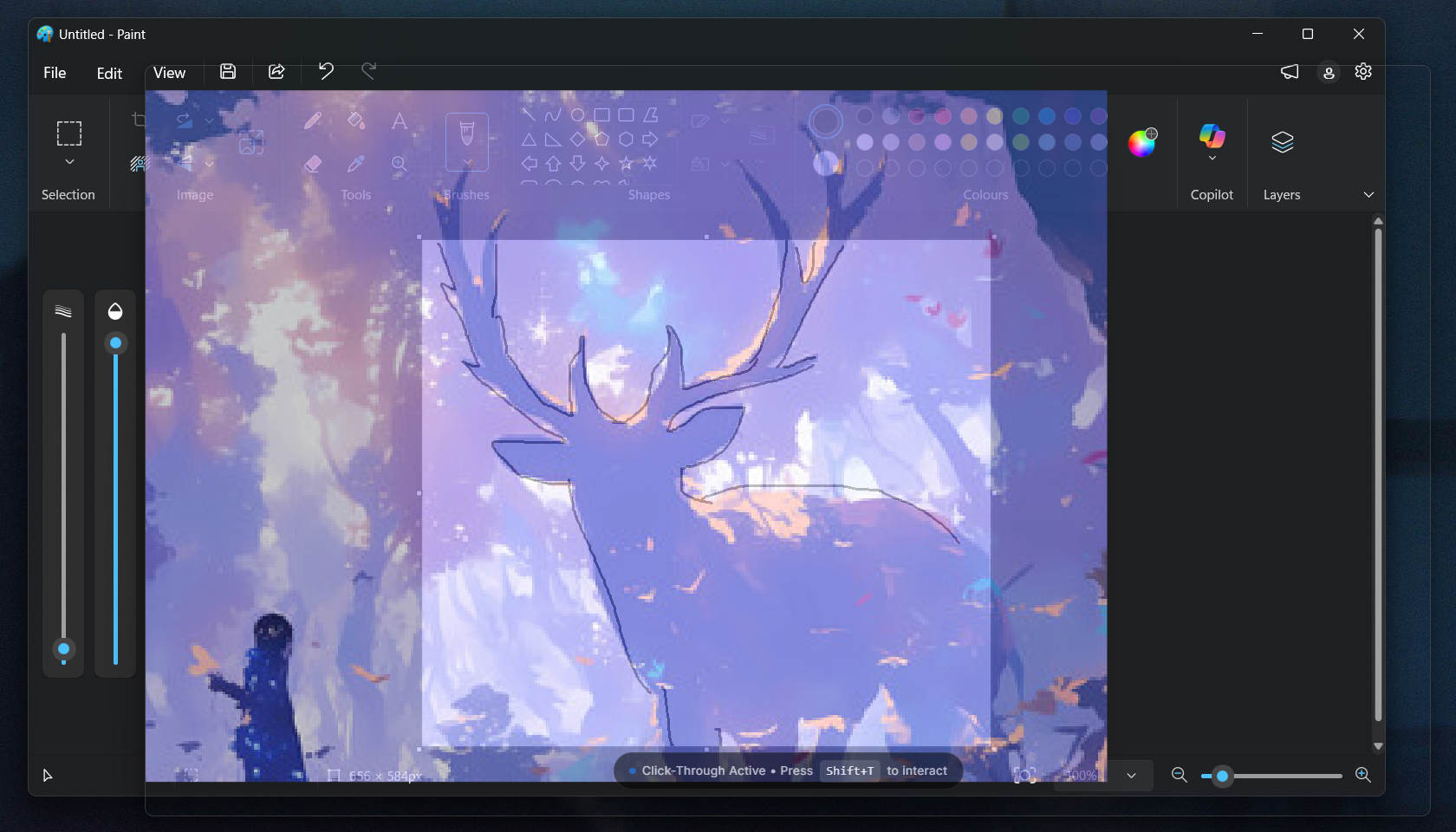
Browse the web inside the app.
Open ArtStation, Pinterest, Google Images, or anywhere else — without alt-tabbing into another window. Hover over an image, hit capture, it lands on your board. The tab is already closed. Your flow never broke.

And yes — the browser filters ads automatically, using the same rule style as uBlock Origin. No setup, no extension hunting. It just works.

Your references, organized without the work.
Drag images in from your drive or import them by URL. Tag them, search them, sort by tone. Pull them back onto the board whenever a project needs them. The library remembers what you've seen, so the board never has to start from scratch.

An infinite canvas that thinks the way you do.
Not a grid. Not folders. A real, borderless surface where you can pan, zoom, stack, and compare references the way they exist in your head — connected by meaning, not by filename.
Draw on top. Note beside. Step through.
Pen, highlighter, eraser — for marking proportions, tracing shapes, circling what matters. Split an image into color and grayscale to study value. Isolate a single reference. Step through a set one by one. Keep your board visible while you paint in Photoshop, Procreate, Krita, or anything else.
And when the image needs a sentence — anatomy reminder, lighting note, composition idea — type it next to the reference it belongs to. The note lives where the idea happened.

Your board, your images, your notes — in one .lref file.
Move it. Back it up. Send it to another artist. Open it six months from now and it's still exactly where you left it. No cloud sync waiting, no account to log into, no subscription quietly expiring in the background.
The file is yours. The work is yours. Lumaref is just the workshop.
Windows · macOS · Linux · all from the same .lref file · no generative AI
"I built Lumaref because artists deserve a reference board as beautiful as their craft. Not a tab to lose. Not a folder to forget. Just one space — to browse, to capture, to study. A place made for the visual mind."
It's built by one person, and it's still in beta. There will be bugs. There will be missing features. I'd rather say that out loud than pretend otherwise. If something breaks, tell me. If you have an idea, tell me. If you just want to chat about art, also tell me.
I read everything.
Lumaref.
15-day free trial. Full app, all features unlocked, no account needed. License-based at v1.0 — buy it once, own it forever, free updates. Beta buyers lock in the launch price before it goes up.
No telemetry · No subscription · No cloud · Lifetime license
Made by Hemant Kumar
Updates on Lumaref, straight to your inbox.
Release notes, new features, and the occasional behind-the-scenes note on how Lumaref is being built. No spam, unsubscribe anytime.